Network service on Compute node
Neutron is the Openstack Network Service
This page is built by combining three different Openstack docs pages
https://docs.openstack.org/neutron/2025.1/install/compute-install-ubuntu.html
https://docs.openstack.org/neutron/2025.1/admin/deploy-ovs-provider.html
https://docs.openstack.org/neutron/2025.1/install/compute-install-option1-ubuntu.html
Provider network option
This guide is built on the basis of working with Provider network option, the easiest option.
Pre req
Note that this guide assumes that two network interfaces are available on the host, and that the interface to be used as the "provider" interface is not in use, is connected to a switch on a trunk port
Install Neutron packages
sudo apt update
sudo apt install neutron-openvswitch-agent neutron-dhcp-agent neutron-metadata-agent
This installs the required openvswitch packages as well as the dhcp and metadata agent packages
Configuration
There's multiple configuration files
/etc/neutron/neutron.conf
/etc/neutron/dhcp_agent.ini
/etc/neutron/plugins/ml2/openvswitch_agent.ini
/etc/neutron/metadata_agent.ini
Do NOT restart the services before explicitly instructed in this guide
neutron.conf file
/etc/neutron/neutron.conf
[DEFAULT]
core_plugin = ml2
auth_strategy = keystone
transport_url = rabbit://openstack:Passw0rd!@os-control

[oslo_concurrency]
lock_path = /var/lib/neutron/tmp

[agent]
root_helper = "sudo /usr/bin/neutron-rootwrap /etc/neutron/rootwrap.conf"

[database]
#connection = sqlite:////var/lib/neutron/neutron.sqlite
Note that the
connectionline under[database]has been commented out
dhcp_agent.ini
/etc/neutron/dhcp_agent.ini
[DEFAULT]
enable_isolated_metadata = True
force_metadata = True
openvswitch_agent.ini
/etc/neutron/plugins/ml2/openvswitch_agent.ini
[ovs]
bridge_mappings = provider:br-provider

[securitygroup]
enable_security_group = true
firewall_driver = openvswitch
metadata_agent.ini
/etc/neutron/metadata_agent.ini
[DEFAULT]
nova_metadata_host = os-control
metadata_proxy_shared_secret = Passw0rd!
Configure OVS bridge for Provider network
At this point our ovs config should show something like this
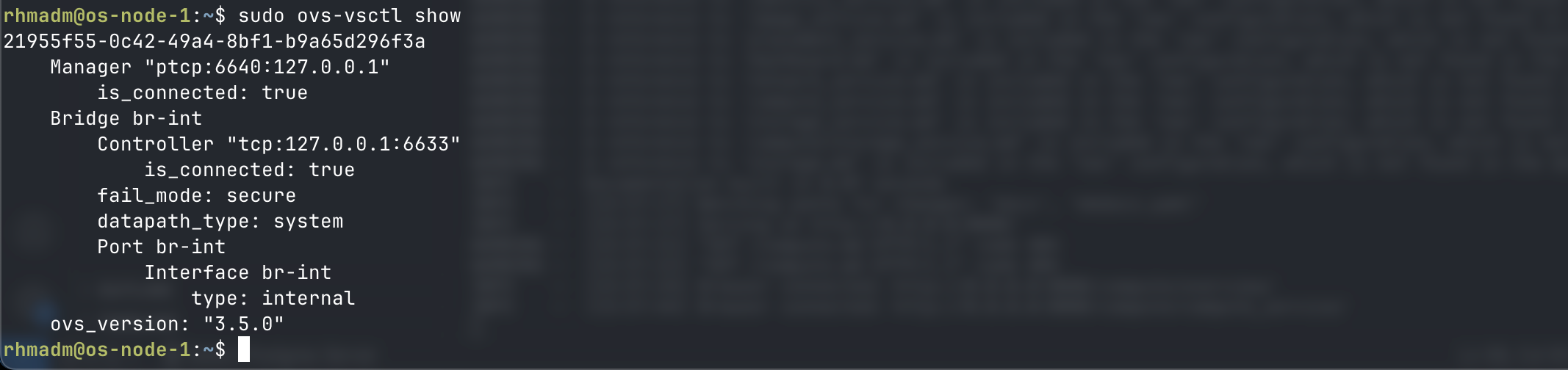
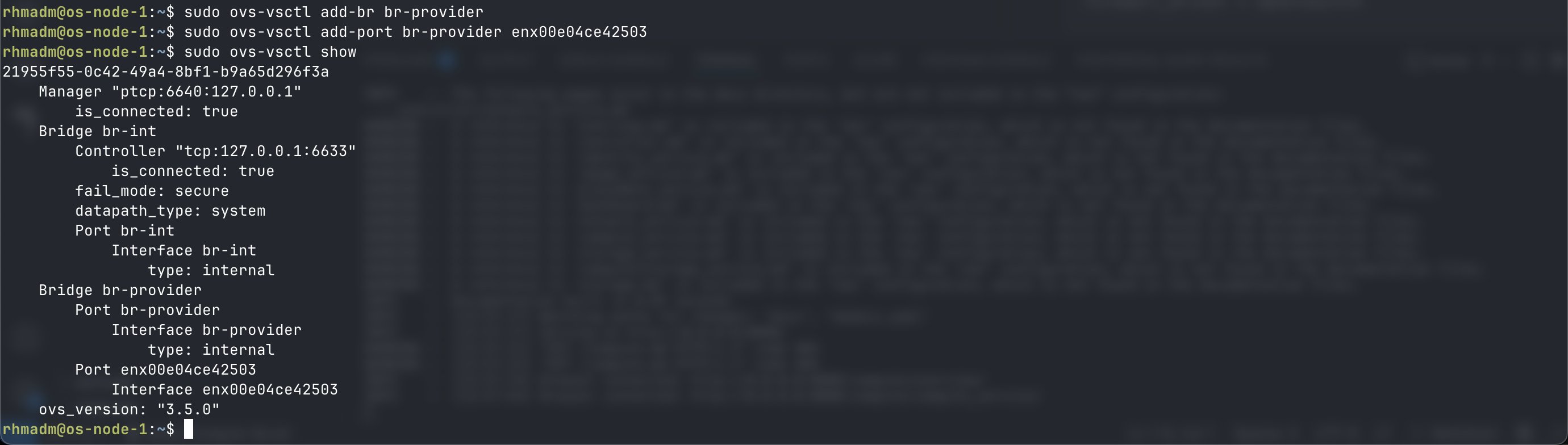
Next step will be to add a bridge for the provider network and add the free network interface to this bridge
sudo ovs-vsctl add-br br-provider
sudo ovs-vsctl add-port br-provider <INTERFACE_NAME>
Start neutron services
Now we can go ahead and restart the Neutron services
sudo systemctl restart neutron-openvswitch-agent.service
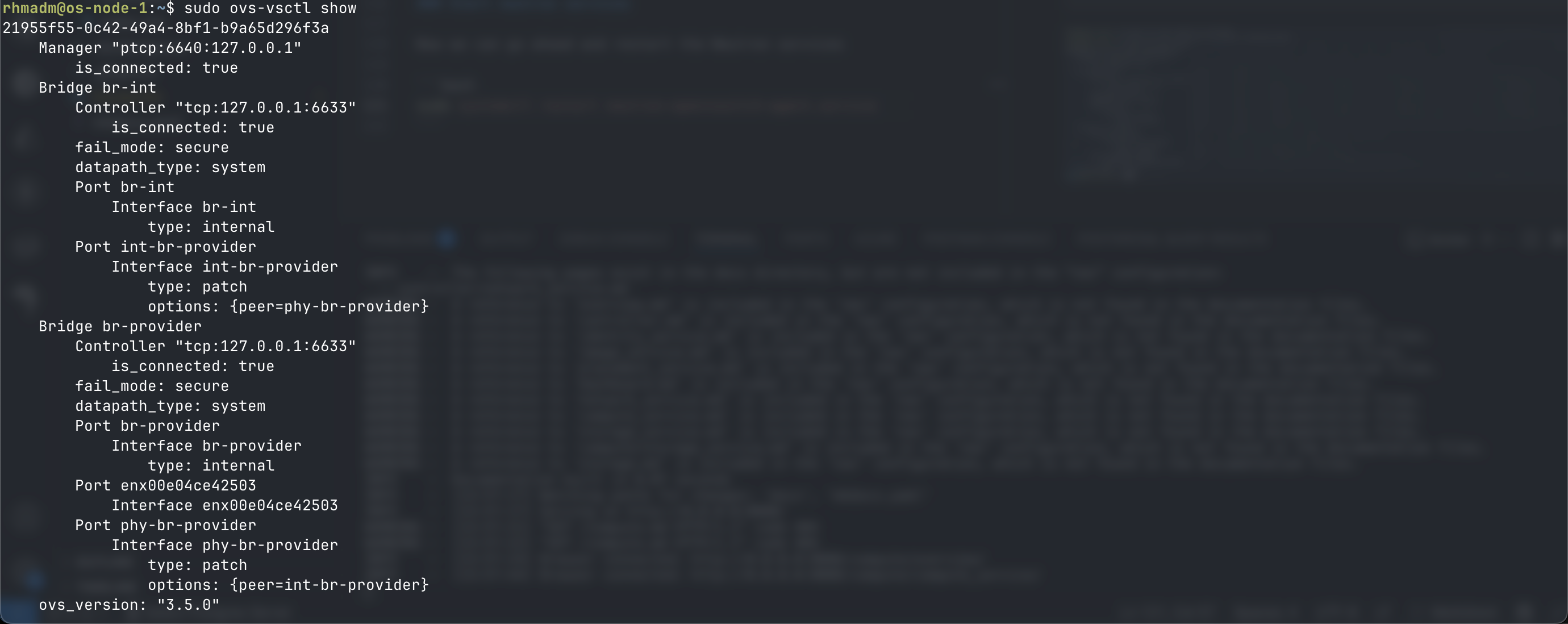
And now we can go back and check our OVS config and see that the bridges has more ports attached. These are added by Neutron for it to be able to stitch things together
Restart the dhcp and metadata agent services
sudo systemctl restart neutron-dhcp-agent
sudo systemctl restart neutron-metadata-agent
Check status
Let's check the status of the two neutron services
sudo journalctl -u neutron-dhcp-agent.service -f
sudo journalctl -u neutron-openvswitch-agent.service -f
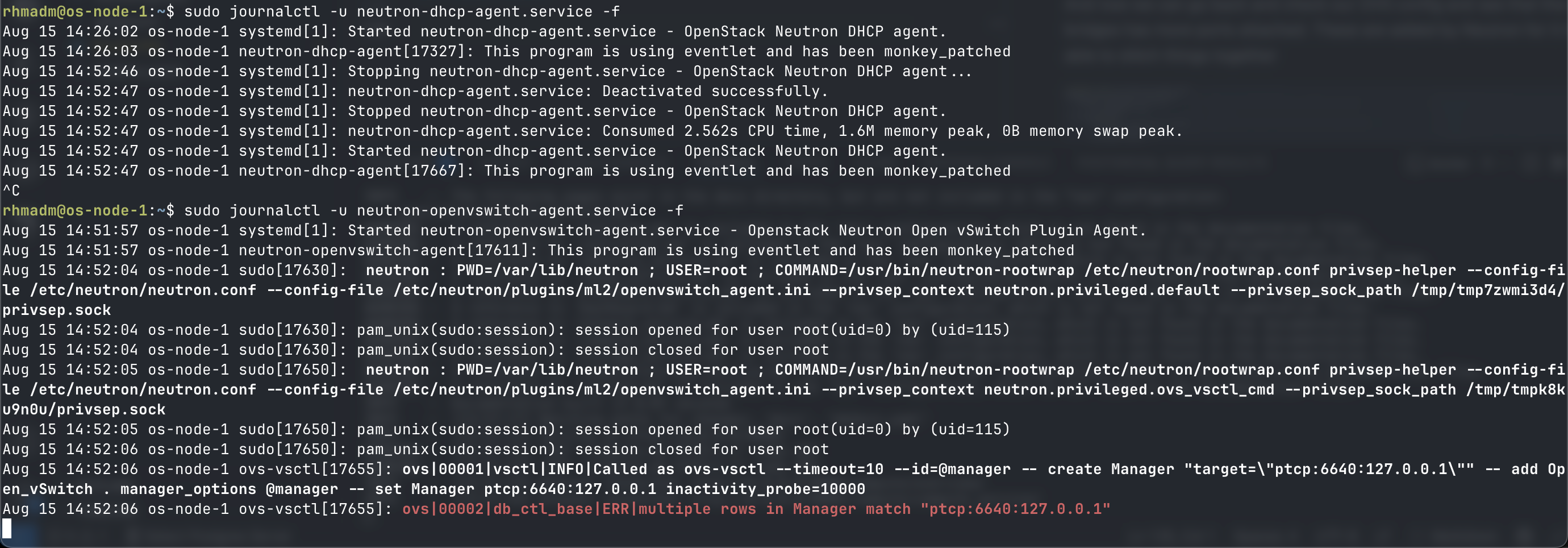
The error message from the openvswitch-agent service is currently something we're investigating. It seems to not interfere with the network operation
We'll also check the status from our controller node

Note that we've not mentioned the metadata agent service. We're currently not utilizing that